Showing posts with label mb star diagnoctic. Show all posts

8.23.2016

EPC.net Internet Explorer cannot display solution

Here is the engineer solution to Mercedes-Benz MB Star diagnosis EPC.net software “Internet Explorer cannot display the webpage” solution.

Problem:
I have activated the 2016.05V EPC WIS software, but the Star diagnosis EPC.net online cannot run on IE explorer, it said “Internet Explorer cannot display the webpage”
Internet Explorer cannot display the webpage
Engineer solution:
Go to Windows Start Menu>open EWA>run EWA Admin Tool
EWA-admin-tool
Open Server,EPC,WIS one-by-one to check which software is not run.
Enable these 3 options.
Then restart the computer.
Open Server,EPC,WIS
Run EPC.net software again.

If you had EWA Client Tools error “Application blocked by security settings” after activation, then do following settings:
Application blocked by security settings

Go to Control Panel->find JAVA control panel->select Security tab->manually set the security level to lowest level.
java control panel

Then EPC should run without problem.
http://blog.mbstartool.com/2016/08/23/epc-net-not-display-webpage-solution/

8.22.2016

Change DAS Xentry language to French (Customer share)

Here is the customer solution to Mercedes-Benz MB Star diagnosis Xentry/DAS language change (Russian to French)...
mb-star-xentry-das-language
Actually, i can't change the language of das/xentry at the beginning:
Xentry is in Russian and DAS in English
(ewa.net Russian too)

i first checked if i have the complete language pack installed, because if not i wouldn’t have all the data for other languages.

Then i was told that:
“If you right click the DAS icon on your desktop and select "properties", at the Target line you can read "-lru" where "ru" refers to Russian language. If you change this to "en" (I think gb works too), you will have DAS in English. If you want some other language, you can find the list of language codes from the forum.

A similar change would be needed for DAS SIM shortcut.”

Follow the tips, i made it.
Xentry was in Russian and now after change language in settings is in French
DAS was in English and now after change the "Iru" to "Ifr" it's in French too
It's nice too!

But in Das, i had all " é " replaced by a Russian letter i don't have in my keyboard it's look like an " N " inside out.

Checked Windows Regional settings... The keyboard was set to some Russian mode.
Now it's in French mode and it's ok
The French Xentry/DAS works like a charm!

8.16.2016

How to reset FSS on Mercedes SL500 R129 by HHT-WIN

It’s aimed to reset distance and days since last oil change in Flexible Service System (FSS) on Mercedes-Benz SL500 R129 by using HHT-WIN software. 

Note:
MB Star diagnosis software version pre-2015.12 comes with HHT-WIN, software 2016 up does not contain HHT-WIN. Xentry DAS are the diagnosis program for newer Mercedes.

In SD connect c4 HHTwin:
Select model: SL500
Select model: SL500
Diagnostic multiplexer is being initialized...
Click F1
Diagnostic multiplexer is being initialized
Select Body->KI
select-body
select K1
Communication with the control unit is being established...
Switch ignition ON
turn-ignition-on
Communication with the control unit is being established...
Select Actual values->Active service system->Distance driven since last oil change
Select Actual values
Active service system
Distance driven since last oil change

Distance driven since last oil change is 7338 miles
Then back to Functions interface
Go to Control Module Adaptation-> Read / Change coding
Read / Change coding
Version coding is being read...
Version coding is being read 1
Version coding is being read 2
Version coding is being read 3
Version coding is being read 4
Back to CM adaptations
Go to Setting->Reset inadverten...
Reset inadverten..
Reset inadverten 2
Enter current km/mileage: 93305
Reset oil change apparently carried... (YES)
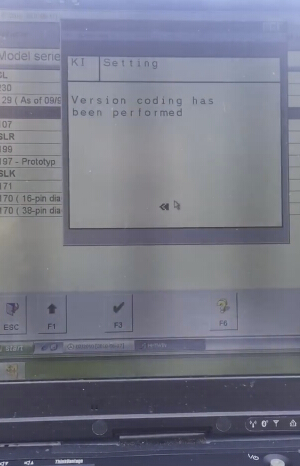
Version coding is being performed...
Version coding has been performed!
Back to Setting interface
Go to Active Service System
Version coding is being read...
Active Service System
Version coding is being read...
Select Distance driven since last oil change and setup miles: 2704
Distance driven since last oil change
YES to carry out
Version coding is being performed...
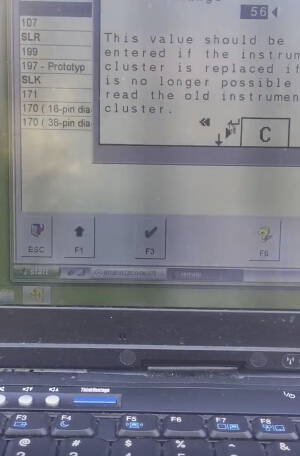
Then setup Days since last oil change: 56
Days since last oil change: 56
YES to carry out
Version coding is being performed...
Distance and days since last oil change SUCCESS!
last oil change SUCCESS

7.13.2016

2016.07V MB SD Connect C4 DAS Xentry Win7 Win8

MBStartool.com is currently rolling out latest Mercedes-Benz MB Star diagnostic DAS Xentry software 2016.07V for MB SD Connect C4 and MB Star C3 diagnostic system.

Latest version: V2016.07
Multi-languages: English, Chinese, Croatian, Czech, Danish, Dutch, Finnish, French, German, Greek, Hungarian, Italian,  Japanese, Korean, Polish, Portuguese, Romanian, Russian, Spanish, Swedish & Turkish
You can log in Daimler AG program without user name and password needed, it is used to check price for Benz vehicle accessories.
Support Windows 7 System. WIN7 HDD do not support HHT-WIN! Software version newer than V2015.12 does not support HHT-WIN!

Product software includes: (Version: 2016 )
1.D-A-S / Xentry 2016.07 : the automatically Diagnosis Assistance System ,Concise interface and straightforward operation with IB M high-quality computer can realize the quick and accurate code reading and the whole car system testing
2.W-I-S net 2016.06: Workshop Information System Supply the whole view of the wiring diagram in a car,component location diagram and maintenance method. What you do is to enter the chassis number, and then you will get the manufacture data, engine configuration and the car model -all in detail.
3.EPC.net 2016.06: Electronic Parts Catalog
4.ST Finder 2016:Part location finder
5. STARUTILITIES : the movement management system and self-test
6. SDMEDIA 2014
7. PL70

2016.7V SD Connect C4 Software Display:
2016.07v-SD-C4-DAS-Xentry-1
2016.07v-SD-C4-DAS-Xentry-3
2016.07v-SD-C4-DAS-Xentry-2
2016.07v-SD-C4-DAS-Xentry-4
EPC.net 2016.06
2016.07v-SD-C4-DAS-Xentry-7
Star Finder 2016
2016.07v-SD-C4-DAS-Xentry-6
Price List PL70
2016.07v-SD-C4-DAS-Xentry-5
V2016.07 MB SD C4 Software Function:
1.1989~up to now Car, Bus, Truck, Sprint, Smart ;
2. All electric system Diagnostic;(Do not include flash code)
3. reading trouble code
4. erasing trouble code
5. live-data
6. adaptation
7. component testing
8. maintenance
9. information consultation
10. component location diagram
11. wiring diagram
Testable system:
ENGINE
AUTO-SPEED
AIRCONDITIONAL SYSTEM
SRS
ABS
ASR
MPL
GM
Bz ORIGINAL ANTI-THEFT
DASX SYSTEM
KEYZESS GO SYSTEM
OBD-II SYSTEM

7.05.2016

MB Star DAS Xentry Macbook Air VMware Image

I have been struggling using my trusty old HP laptop to run DAS. It is super slow because it runs a virtual machine of MB Star SD Connect C4 diagnostic DAS Xentry... it would take 5 minutes or more just to boot the virtual machine! I have tried a couple of times to migrate to a new laptop but the newer ones don't have serial. I have tried several USB to serial adapters but the only one that works is the FTDI. I then fought with a couple of settings to get it to work. I thought I would do some screenshots and mini-tutorial on how to make this work. I am using a Macbook Air, but some of the instructions apply to windows machines.


1. Install the FTDI driver Latest drivers here: http://www.ftdichip.com/Drivers/VCP.htm
2. Install VMWARE - Mine was VMWARE Fusion
3. Open Virtual Machine file. I recommend copying it to your local drive if you have space. It is about 65GB.
das-xentry-on-vmware-1

4. Start the Virtual Machine
5. Plug in the FTDI cable and you will see the screen below:

das-xentry-on-vmware-2

6. Select connect to Windows. You may need to install the drivers in Windows. Mine installed automatically without installing drivers on the virtual machine.

7. In the virtual machine select control panel -> system as shown below:

das-xentry-macbook-vm-3

8. Go to Ports (Com & LPT) and select communications ports and disable all active serial ports.
set-com-port

9. Select the USB com port. Go to advanced and set the port to port 2.

das-xentry-on-vmware-4

Special thanks to turbo97se who provided the VMware Images.

5.29.2016

SDconnect Toolkit COM Server stop functioning (fixed)

Here is the customer solution to MB Star diagnostic SDconnect Toolkit COM-Server stopped functioning problem.

Problem:
I have a problem about SDconnect Toolkit COM-Server has stopped functioning.
May I ask how to solve this problem.


Solution:

I think this is because DTS Monaco have own Ecom toolkit /2.1.4.2/ installed together with software and if you have installed another toolkit for sdconnect there is little war between this two toolkits.


I have installed DTS on non DAS/Xentry pc and I have installed SDConnect toolkit 2.1.3 independently /because I don´t now how to make connection between original ecom toolkit from dts with sd connect I can not open administration for original ecom toolkit it said device will be connected automatically and I can not open it manually/ and sometimes is problem with Com-server error code 891 but is no problem with communication with SDConnect. I have it on win7 and I can start 2.1.3 toolkit administration or selection from icons on desktop if not working from icons in taskbar but now also working from taskbar I have set for both toolkits the same language and working from taskbar icons too.


I had the same Problem. I solved it this way.

1. Open Taskmanager an Kill all Processes of SDconnect Toolkit(Tkserver.exe, Tktray.exe).
2. Go to DTS install folder and find the folder with the Tkserver.exe in it.
3. Delete this folder.
4. Install SDconnect toolkit from here

https://mega.nz/#!rgExUb7Z

encryption key

fQAtu6sTOfHFhfQi5ZObBJr742wGa7_CXuLY33JLhfc


(BTW, you can install this SDConnect toolkit on non Xentry/DAS computer and working with DTS then also have to working with Vediamo.)

5. Go to original SDconnect Path (C:\Program Files (x86)\Mercedes-Benz\SDconnect Toolkit\)
6. Copy filesToolkit.ini + SDVersion.dll
7. Paste Toolkit.ini in C:\ProgramData\I+ME ACTIA\Toolkit\ and SDVersion.dll in Install-Directory of the new SDconnect Toolkit.
8. Start SDconnect Toolkit from Startmenu (the SDconnect folder in Root of “All Programs”, not the one in “Mercedes-Benz” folder)

5.27.2016

MB SD C4 troubleshot Mercedes-Benz VITO can not drive

I have a mileage of about 43,000 km of the 2013 Mercedes-Benz VITO commercial vehicle, there is a problem: Start hanging D block, the vehicle can not travel.
First, confirm pick Symptom,found hanging D fail to do so the carriage and Guadang abnormal sound transmission instantaneously.

I had purchased the diagnostic system from mbstartool.com:

I used MB Star diagnostic SD Connect C4 rapid detection of vehicles found in the transmission control unit (ETC) stores a DTC 0731: untrusted or transmission gear skid (gear, and stored)
N15 / 3 transmission control unit receives an engine load signal, vehicle speed signal transmission input / output speed sensor signal, the shift by controlling the electromagnetic valve. Combined with fault code analysis possible causes:
1) input / output speed sensor failure;
2) transmission control unit fault;
3) valve to control the transmission line fault between the units;
4) gear clutch slip.

I Have done the following checking:
1. Remove oil pan, ready to swap with the normal vehicle body, and found a large number of iron filings on the oil pan.
2. Remove the valve body, and found there are a lot of iron the body.
3. The presence of iron described internal transmission wear, break down the transmission and found badly worn gear set
mb-sd-c4-troubleshot-vito
I replaced the transmission assembly, and torque converter cleaning (without replacement) and tubing, then test, fault completely ruled out.

http://blog.mbstartool.com/2016/05/28/mb-star-troubleshot-mercedes-vito-can-not-drive-issue/

5.22.2016

2016.05 MB Star diagnostic Win7 Win 8 DAS Xentry

Mercedes Benz MB Star diagnostic software 2016.5 Xentry Das Win 7/Win 8 HDD/SSD for MB SD Connect C4 and MB Star C3 multiplexer have released in mbstartool.com.

Latest version: V2016.5
Software language: Chinese, English, Croatian, Czech, Danish, Dutch, Finish, French, German, Greek, Hungarian, Italian, Japanese, Korean, Polish, Portuguese, Romanian; Russian, Spanish, Swedish& Turkish.
 Note: WIN8 System HDD/SSD does not support HHT-WIN! Software version newer than V2015.12 does not support HHT-WIN!

Software includes: (Version: 2016 )
1.D-A-S / Xentry 2016.05: the automatically Diagnosis Assistance System ,Concise interface and straightforward operation with IB M high-quality computer can realize the quick and accurate code reading and the whole car system testing
2.W-I-S net 2016.03: Workshop Information System Supply the whole view of the wiring diagram in a car,component location diagram and maintenance method. What you do is to enter the chassis number, and then you will get the manufacture data, engine configuration and the car model -all in detail.
3.EPC.net 2016.03 : Electronic Parts Catalog
4.ST Finder 2008:Part location finder
5. STARKey : manager the startkeys
6, SDMEDIA 2014
7, PL70
8,Win8
2016.05V MB SD Connect C4 Win7/Win8 500G HDD
2016.05V MB SD C4 Win/Win8 256G SSD
2016.5V MB Star C3 Win7/Win8 500G HDD
 SSD VS HDD in terms of running speed
(we test it on our DELL D630 PC)
4G SSD4G HDD
boot timeabout 1min 30 Secsabout 4 min
shutdown timeabout 20 Secsabout 50 Secs
time to use Xentry test
one vehicle module
about 2 min 25 Secsabout 3Min 27 Secs
ConclusionXentry in SSD runs much more stable and faster than in SDD, though SSD versions may be more expensive
Products selection2016.5 SD connect c4 Xentry DAS SDD2016.5 SD connect c4 Xentry DAS HDD
05.2016 MB STAR C3 XENTRY SDD05.2016 MB STAR C3 XENTRY HDD
FUNCTIONS:
1. 1989~up to now Car, Bus, Truck, Sprint, Smart ;
2. All electric system Diagnostic;(Do not include flash code)
3. Reading trouble code
4. Erasing trouble code
5. Live-data
6. Adaptation
7. Component testing
8. Maintenance
9. Information consultation
10. Component location diagram
11. Wiring diagram

Testable system:
ENGINE
AUTO-SPEED
AIRCONDITIONAL SYSTEM
SRS
ABS
ASR
MPL
GM
Bz ORIGINAL ANTI-THEFT
DASX SYSTEM
KEYZESS GO SYSTEM
OBD-II SYSTEM
2016.05V MB Star diagnosis Xentry DAS software display:
2016.5-sd-connect-c4-xentry-das-1
2016.5-sd-connect-c4-xentry-das-2
2016.5-sd-connect-c4-xentry-das-3
2016.5-sd-connect-c4-xentry-das-4
2016.5-sd-connect-c4-xentry-das-5
2016.5-sd-connect-c4-xentry-das-7
2016.5-sd-connect-c4-xentry-das-11
2016.5-sd-connect-c4-xentry-das-10