MB Star HDD (SS210-10)/SSD (SS210-A10B) is in English default, if you need to change system language but failed to download the language pack.
Here is the solution. Open TOOLS folder on desktop Open Windows Update Blockers-> Run Wub_x64 And Enable Update-> Apply Now. Download the system language pack again.
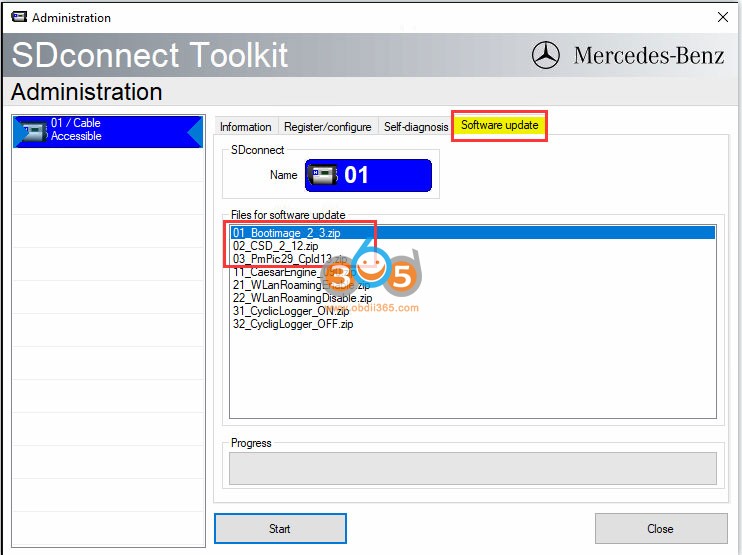
Some users reported that they cannot findMB SD Connect C4 DoIPWLAN connection (No WLAN) in SDConnect Toolkit. No possible to set up WiFi connection?
NO WLAN does not mean wifi cannot be used.
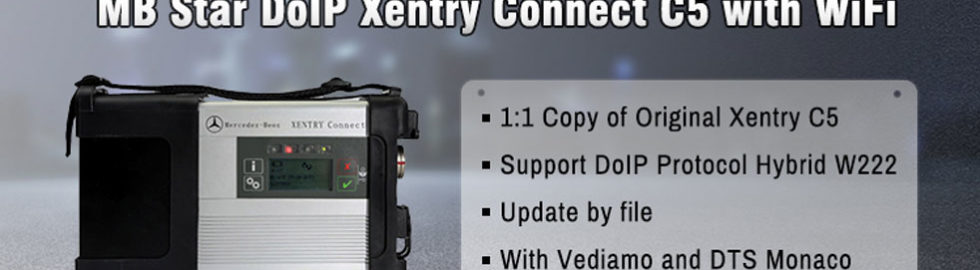
For MB SD C4 Plus DoIP/ MB SD C5/ Super MB Pro M6 with DoIP firmware manufactured after the year 2019, their hardware have improved the WiFi connection and enables users to connect WiFi easily.
DoIP hardware can be directly connected through wifi without special setting.
How to connect MB Star DoIP multiplexer with WiFi?
Connect the device with PC and search C4 WiFi (WiFi name: XC4 PLUS_****, then pair wifi with password: 123456789
Is it possible to switch between Xentry XDOS and Xentry Passthru? Can I change my Xentry XDOS configured forMB SD Connect C4to use withAutel J2534Passthru?
Here’s the clue.
Mercedes Benz made different installers for open shell and passthru. But XDOS have some passthru files anyway inside.
Easy change XDOS-XPT in registry.
You can change DAI_APPTYPE from XDOS to XPT, EURO5, XD4NFZ, XDPAD, XDPAD2, 2 locations in registry. Remember to change cal.ini.
Here is @Magic SFX- Achieve Switch (exe) which one of the customers uses for switching between XDOS and PASSTHRU in seconds. ( Works only if Mercedes Benz\Xentry\bin is located c:\Program Files(86) ) Its Open SFX you can see what he has done and make for your Version.
Here’s an example. You will find other switch on google as well.
Tested on w213 w117 w205 w211 w447 etc without issue.
If few certain models have issues… seemed to all be models on the border of DAS and Xentry models… ceaser swap sorted it out.
How-to: ceaser swap
You need to swap caesar drivers as xdos uses v 3.3.5.1 and xpt uses 3.3.6.2.
When ceasar version isn’t changed xdos in passthru mode won’t connect with w204, w212, and other models of the same generation.
Take the caesar64 folder and the comdat/driver folder from xpt and make a little program that can swap the 2 versions at will (simple folder renaming script) and then you’ll have full access in both car and truck.
Full path is programdata/mercedes-benz/config/comdat/caesar/driver
For2022.06or other versions ofMB SD C4/C5Xentry OpenShell XDOS that require you to enter login user name and password to access Xentry, follow 2 ways to login Xentry offline.
Method 1: Login with User Name and Password
Run XENTRY Diagnosis Cars-Offline program on the desktop
Input Xentry offline login User Name: Xentry and password:123456
Login successfully
To clone Xentry program, click “X” on the top right corner and Press Yes to exit Xentry Diagnosis.
*You have to input login user name and password every time you run Xentry Diagnosis if use Method 1.
Go to C:/Program Files (x86)/Mercedes-Benz/Xentry/XD_MB/bin folder Right-click XentryServices.xml and Add to ‘XentryService.rar‘
Copy and Replace the XentryServices.xml file download above to C:/Program Files (x86)/Mercedes-Benz/Xentry/XD_MB/bin folder
Go to C:/Program Files (x86)/Mercedes-Benz/Xentry/XD_DT/bin folder Right Click XentryServices.xml and Add to ‘XentryService.rar‘ Copy and replace XentryServices.xml file you downloaded to that folder
Then you can run Xentry car or trunk diagnosis program directly without login
NOTE: If use method 2, MUST run Diagnosis Stop on the desktop to close Xentry Diagnosis software.
06/2022 MB Star diagnostic XDOS OpenShell software activation is slightly different from the previous version, theHDD/SSDcontains activation keygens. Users have to activate Xentry, WIS, EPC, DTS and Vediamo manually.
Run Vediamo software on deskotp Open TOOLS folder on desktop, open keygen folder Run vediamo 05.1.1 kg keygen Copy and paste vediamo hardware ID here
press Generate to generate the registration key Paste and Hardware ID to the registration name area PASTE registration key to Key area and press Register
Vediamo is registered.
2. Activate DTS Monaco
Run DTS Monaco 8.16 software on desktop
Send hardware ID to sales@obdii365.com customer service
We will send you the activation key
Paste registration key to activate DTS
3. Activate WIS EPC
Run EWA on desktop Login with User Name and password User name: admin Password:123356
Then go to Go to Server-> Edit the access authorization
Open TOOLS folder, run CarProKey keygen
Select EPC WIS program, copy and paste Lan ID, input Users 252 and expiration date (i.e 7/25/2030)
Press Generate to generate StartKey
Paste the ECP and WIS startkey to the corresponding area and save
EPC and WIS have been activated and ready to use
4. Activate Xentry
Run ConfigAssit on desktop Select SDConnect VCI
Go to C/ProgramData/LicDir folder Delete lic_key_2.dat and lic_key_2.x4711 two files
In ConfigAssit, select Configure
Press Lock icon, it says failed to connect to server because xentry is not activated. Paste the Hardware ID
Run Xentry Advanced Keygen from C/Program Files (x86)/TOOLS/keygen folder
Tick No icon until brings the generator interface below
Paste hardware ID here, enter Lic numer as 252, change date end till July 2030, press Generate to generate the license key.
Paste the License key
Back to ConfigAssist, go to Manual
Paste the Xentry activation StartKey to the corresponding area and save.
Xentry is activated.
Change the extension of the copied file to “.x4711″ Right click lic_key_2.x4711 Properties and tick Read-only
Go to Control Panel, check if the firewall is turned off
If want to connect MB SD C4/C5 via LAN network cable, change the IP address to
IP address: 172.29.127.11 Subnet mask: 255.255.255.0
Check the detailed video guide here
*For the version that does not have keygens, activation is done by providing hardware ID to us.