Showing posts with label xentry xdos. Show all posts

8.02.2022

2 Ways to Login Xentry XDOS Offline

 For 2022.06 or other versions of MB SD C4/C5 Xentry OpenShell XDOS that require you to enter login user name and password to access Xentry, follow 2 ways to login Xentry offline.


Method 1: Login with User Name and Password


Run XENTRY Diagnosis Cars-Offline program on the desktop

Input Xentry offline login User Name: Xentry and password:123456

Login successfully

2 Ways to Login Xentry XDOS Offline 1

2 Ways to Login Xentry XDOS Offline 2

2 Ways to Login Xentry XDOS Offline 3

To clone Xentry program, click “X” on the top right corner and Press Yes to exit Xentry Diagnosis.

2 Ways to Login Xentry XDOS Offline 4

*You have to input login user name and password every time you run Xentry Diagnosis if use Method 1.


Method 2 does not require login password.

Method 2: Login by replacing XentryService File

First of all, download XentryService File here

https://mega.nz/folder/5tchia4b#gXt9kvWltn9P_SczyYgmPg

Go to C:/Program Files (x86)/Mercedes-Benz/Xentry/XD_MB/bin folder
Right-click XentryServices.xml and Add to ‘XentryService.rar‘

2 Ways to Login Xentry XDOS Offline 5

2 Ways to Login Xentry XDOS Offline 6

Copy and Replace the XentryServices.xml file download above to C:/Program Files (x86)/Mercedes-Benz/Xentry/XD_MB/bin folder

2 Ways to Login Xentry XDOS Offline 7

2 Ways to Login Xentry XDOS Offline 8

2 Ways to Login Xentry XDOS Offline 9

Go to C:/Program Files (x86)/Mercedes-Benz/Xentry/XD_DT/bin folder
Right Click XentryServices.xml and Add to ‘XentryService.rar‘
Copy and replace XentryServices.xml file you downloaded to that folder

2 Ways to Login Xentry XDOS Offline 10

2 Ways to Login Xentry XDOS Offline 11

2 Ways to Login Xentry XDOS Offline 12

Then you can run Xentry car or trunk diagnosis program directly without login

2 Ways to Login Xentry XDOS Offline 13

2 Ways to Login Xentry XDOS Offline 14

2 Ways to Login Xentry XDOS Offline 15

2 Ways to Login Xentry XDOS Offline 16

NOTE: If use method 2, MUST run Diagnosis Stop on the desktop to close Xentry Diagnosis software.

2 Ways to Login Xentry XDOS Offline 17


Read also: http://blog.obdii365.com/2022/07/27/activate-2022-06-mb-star-xentry-wis-epc-dts/

6.24.2020

How to Setup XUS on Xentry 03.2020 to Solve online errors?

In MB Star diagnostic Xentry 03.2020 (both Openshell and PT) it is necessary to modify the previous one slightly:

1. Make sure .NET 4.8 is installed
2. We configure in "ConfigAssist" the XUS services without the use of RDS.
3. Go to Services on Windows Control Panel, stop and disable 2 Daimler services with "....DeviceInfo" string and 1 service with "....Device Manager (Windows)" string.
4. Download TablePlus software, run and add new connection for PostgreSQL, name: xus, host: 127.0.0.1, port: leave blank, user xfernow, password: xfernow, db: xfernow
5. Choose deviceinfov2 table on left
6. Find startkeyvalid column on right, place 'true'. Replace value in devicetype column from XDOS to KIT2, replace appid to 254
7. Save changes by pressing commit button in the top-left corner
8. Restart the postgree service, it will ask us for confirmation to restart all the services that depend on which are the XUS services.


Additionally, if we do not want the KIT2 release to be downloaded, modify the following line in the xuslight_conf.json file (located in /programfiles(x86)/Mercedes-Benz Software/XentryUpdateServiceLight/config)

Original: "RelaeaseUpstreamUrl": "https://api-em1.emea.corpinter.net/prod/retus/catalogue/v1/releases/api/releases2/",
Modified: "RelaeaseUpstreamUrl": "",

Doing as before and returning to XDOS or PT does not work, it is only an illusion since it has the previously downloaded catalog, but it will not update said catalog at any time.

This configuration has been successfully tested in online programming without any RDS error.

We have been able to verify that the servers have a filter by location, in some cases, the only way to achieve the download of the catalog has been through the use of a VPN to Europe, once the catalog has been downloaded it has not been necessary to continue using it.

Thanks to the colleagues who have helped me with their tests and their equipment.

4.09.2020

MB Star Xentry "The Data Are Faulty" Solution

Problem:
I run the 2020.03 xentry on mb sd connect c4. 
How could adons installed when it's not possible?
It automatically update. I do nothing. 
Reported an error "The Data Are Faulty"
mb-sd-c4-data-faulty-1

mb-sd-c4-data-faulty-2

mb-sd-c4-data-faulty-3
Solution:
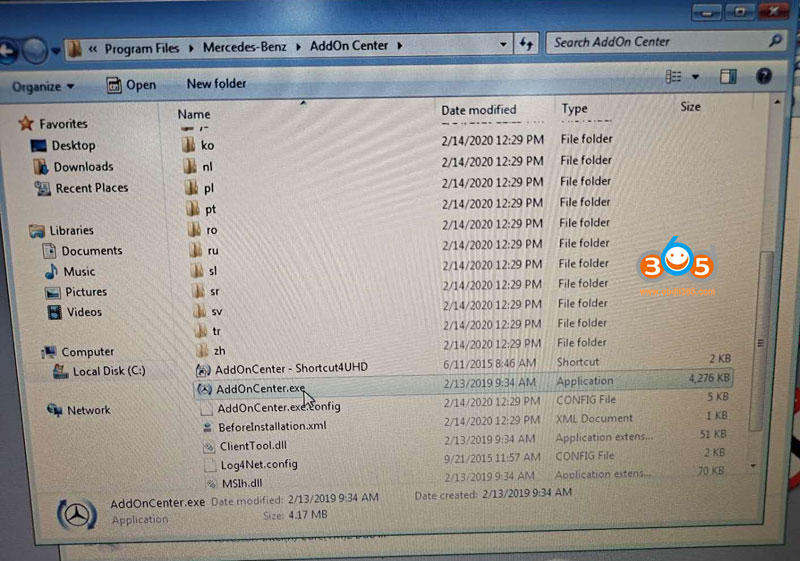
Go to C://Program Files/Mercedes-Benz->AddOn Center
Change the suffix of AddOnCenter.exe, i.e AddOnCenter.ex
It will stop auto update. 
mb-sd-c4-data-faulty-4

mb-sd-c4-data-faulty-5


8.28.2019

09.2019 MB Star Xentry XDOS Download + Testimony

What’s new of 09.2019 Xentry XDOS:
Aug 26, 2019
download-2019-09-xentry

Xentry New Long Key (original key) benefits compare to xentry old key:
1. No need 3.91 Fix: you can use original db2mv.gmf file
2. No need 2221-45 Fix: you can use original com.daimler.xentry.diagservice file
3. No Need DAS license 0 day error fix: it means Bus & Bharat Benz in DAS is okay using original das lic.sli (thanks ross2018)
4. Fix bus & bharat benz in xentry
5. Fix smart 253 in xentry
6. Added 3 more options in DAS for ME9.7 (thanks ross2018)
xentry-new-long-key-1

xentry-new-long-key-2
7. Xentry/DAS executions are faster than previous (thanks ross2018)
8. No need Green Illusion in configassist, all are green. (thanks ross2018)
9. Update xentry addons and get extra addon update option (so the key is ok, just need to update) (thanks ross2018)
xentry-new-long-key-3
2019.09 Xentry tested working no issue:

Xentry Diagnostic Passthru:
  • If your diagnostic device is a passthru device e.g VAS5054A, KTS 540/560 passthru, Chipsoft, GM MDI2, genuine AVDI, MONGOOSE PRO 2 CAN/ISO CABLE, TRACTIX OPENPORT 2.0, Toyota mvci, download this software.
Testimony from: (source: cartechnlogy.co.uk)
  • MBENZTECH: GM MDI2, genuine AVDI, MONGOOSE PRO 2 CAN/ISO CABLE and TRACTIX OPENPORT 2.0
I have used the GM MDI2, genuine AVDI, MONGOOSE PRO 2 CAN/ISO CABLE and TRACTIX OPENPORT 2.0. As long as the device is capable of J2534 protocol, it should work. Of course Xentry PassThru only works on CAN modules. So it’s safe to say that it should work with 2006 and up vehicles. I was hoping AVDI would work with Xentry PassThru with all modules, but that is not the case.
  • paja: kts bosch
I welcome all-knowledge with passthru xentry-kts bosch
1. install bosch center, driver kts-otherwise it does not work
2.UAC, defender off, deamon tool instal
3.Process from Mr Peson’s installation to choose the US version
4. Everything works
Passthru already tested – BMW impact V5,04
Vas pc
Odis
Odis engineering
PSA Diagbox
Nisan consult 3
Xentry passthru 12,2017
  • Roturbo: VAS5054 (Read also the following post of Roturbo)
It looks like that, because if i chose a 204 and try to read the FIN/VIN of the 205
is reads it correct, but the software notice is the wrong series/model and stops.
This prove that there is no problem with Actia or VAS5054 interface, it is only
software problem/bug because the install is on 32bit.
Also Actia software is able to diagnose many units, but not all.
  • grabbelmanko: VAS5054 (Read also the following post of grabbelmanko)
Its red color in sw when i try to test.
I uninstall roturbo drivers.
Device manager show error code 51.
I follow instructions, but will try again later.
Thanks
[/quote]
Hallo Ivan,
the red colour gives you a hint to search in the driver problem zone:
As Medianjoe wrote :  – RED dot : PC <-> VAS5054A does not communicate. Something wrong on your driver.
  • Ficode: TRACTIX OPENPORT 2.0
This software works with openport 2.0.
Many thanks!
The list will be supplemented.
Work with:
W222, W205, W166, W211, Sprinter III W906 (2014), Sprinter 909 (2018).
DAS not work with openport 2.0:
W168, W414, W463 only engine diag(2004).
  • crazy40: VXDIAG passthru, Xhorse toyota vci, FORD VCM II rotunda, ACTIA, Mongoose 
Almost all J2534 compatible devices. Fron expensive VXDIAG passthru to a 15 bucks X-horse toyota vci. But FORD VCM II rotunda, ACTIA and Mongoose works best.
Invest in a Ford VCM, it will work for JLR, toyota, Honda, FORD/MAZDA, GM, few others with a ini modification and off course MB pass thru.
China re-flash VCM to work for Maserati and Ferrari.
MB VCI is so similar to VCM. China coming soon.
  • pesona: Chipsoft Mid, Pro 24v
i myself use Dell latitude win7x64 PRO, chipsoft mid (usd131) and pro (usd218) as my adventure with xentry passthru. i chose chipsoft because it can handle 24v (max 35v). i bought the famous VAS5054A (usd 60) too but don’t touch it yet because it can’t handle 24v (max 17v). i guess chipsoft lite (usd89) is worth to try too.
PKW (passenger car & van 12v)
i test it at a glance with xentry and das, all are easy, direct and good result.
xentry: w212, w204
das:  sprinter, w220, w221
Truck (Actros 2,3), Axor & Bus OHXBC, OC500 24v
Notes:
i try with unsupported DAS vehicles in xentry passthru (Lkw, Bus k-line).
I add the folders that is not installed with xentry passthru and take it from xdos with same release.
i am help by Denis (owner and developer of chipsoft). He is a savant.
He helps update the drivers several time to help me to achieve what i want.
The first driver when i get, it does not work with xentry/das and vediamo for mercedes vehicles 24v.
Pro:
– Actros: All ecu are okay but not GM. Still under research but i am already boring right now.
– Axor MB INA (all k-line ecu): Great working now
– Bus OHXBC, OC500 (all k-line ecu): at last, all are great now
Cons:
– device insulation is not good. i already burn one mid and one pro.
i don’t think it is good for a long term use for 24v unless Denis want to add that protection.
Comparing with partD (C3) and SDConnect
– the price (almost the same)                      –
– fully compatibility with all mb vehicles       —
– Reliability with 24v                                  —
– Size & weight                                         +++++
– Support other Brands                              +++
  • MilenaG: Chipsoft lite 12v
chipsoft lite works perfect with xentry pt, especially after updating drivers for device.
(xentry pt works only with can modules, it is not possible with k-line.)
  • liusberg: Toyota mvci + driver
If you use mvci – drivers in link:
https://mega.nz/#!9p91XIRb!AAAAAAAAAAAXIAY_DmycMgAAAAAAAAAAFyAGPw5snDI
1. Drivers
2. PassThru
But mvci show in w212 only 17 control units – VAS show 34 control units (test – piktas (pic.))
xentry-mvci-driver
  • wakawaka + aholmes28191: VCX nano (look following discussions)
try connect with the VCX cable, also disable or remove antivirus – it interferes with VCX nano
  • krazzdav: Toyota mvci
COM port does not matter it appears; i reinstalled MVCI and left it at default COM 3 and connection to 2017 GLA250 x156 was successful.
Battery appears right after selecting vehicle then XENTRY diagnosis and should not take time — see screenshots below
xentry-mvci-driver-1

xentry-mvci-driver-2

xentry-mvci-driver-3
xentry-mvci-driver-4
Win7x64 + Xentry PassThru 2018 + scanmatik 2 ( not scanmatik 2 PRO ) = Works 100% bluetooth and USB !
( first install the scanmatik driver )
Tested : x166 , w212 , w221
Old models DAS connects with motor only !
I’ve tried a few passthrough modules today – feedback below:
VXDiag VCX Nano for TIS (Toyota Techstream).
This was on the latest firmware (1.5.5 from memory) and in passthrough mode it initially looked good showing voltage but then when trying to connect to the car after ticking the ignition box in Xentry an error from the VXDiag is raised saying “Error License for Function: BENZ” and then Xentry throws an error. The device is licensed for Passthru and Toyota so it seems they prevent this from working in the driver. I’ve mailed Allscanner to see if it’s a device or license limitation.
OTC VIM for Toyota (think this is actually a Bosch device).
Unfortunately even with the passthrough driver Xentry didn’t see the car voltage and just throws an error saying voltage is too low.
Volvo DiCE.
This actually works quite well and sees most modules – a few said they couldn’t talk to the car ECU so guessing there’s a protocol missing but overall it ran through the quick test and got the info I needed (ie software versions).
I’m wanting to update the firmware of the NTG5s1 and from what I’ve read you need a DOIP device to do it so I’ve got a VXDiag C6 on the way – from what I’ve read here and elsewhere it’s slower than the other devices but should do the one off I need.
I’ve got a W212.001 so DAS has it as a prototype and errored out – not sure if that’s because of the Volvo DiCE module so will see how it behaves when the C6 and disk arrive. Hoping I can sort some firmware out.
I actually took the car to a local Merc specialist yesterday and paid £120 for them to do it but when I got there 3 hours later they couldn’t do it – I’m guessing because they had an old non DOIP SDConnect so instead of messing around I’ll try and do it myself!

Xentry passthru does not support these vehicles in DAS:
– Bharat Benz
– Foton
– Fuso
– LKW
– IMO
– Unimog
– PKW using HHT
Disclaimer: All testimony above is personal experience, NOT the official test! It’s your own risk!
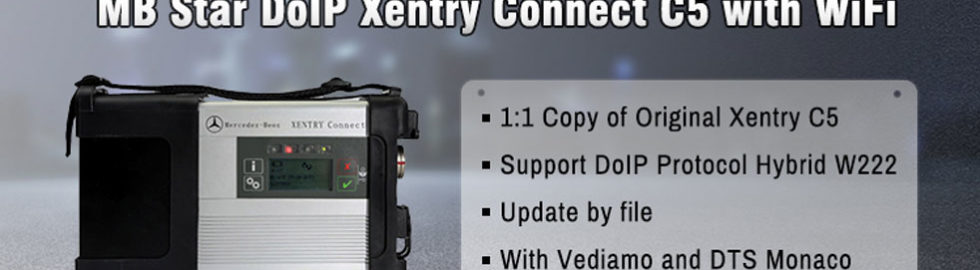
You are advised to use tested XENTRY XDOS with the new SD connect C4,  DOIP compatible:
9.06.2018

2018.9 Xentry XDOS Win7 32Bit adds HHT-WIN

Good news!!! Obdii365.com has launched 2018.09 MB Star diagnostic WIN7 32BIT format HDD/SSD software. Supports HHT-WIN. Perfect working with Starfinder, supports EPC accessory price inquiry, supports PL72 price inquiry system, includes vediamo 15GB database, supports DTS. 

The difference between win7 32bit and win7 64bit format:

1) Win7 32bit works perfectly with HHTWIN (some old models must use HHTWIN, xentry and DAS don't work). win7 64bit is not compatible with HHTWIN.

2) Starfinder can run perfectly on the WIN 7 32bit system. But WIN7 64BIT Most models cannot run the starfinder.

3) Win7 32bit System Updated EPC Parts Price Inquiry.The price check system is PL 72 (2018 .02)

4) Win7 32bit Database is more complete, offline database is about 32GB, supports most offline programming. Because 32BIT only supports up to 3GB of memory, it runs slower than 64bit.

2018.09 the system language is English or German in default and can be changed to other languages, delete the DAS special function password (DAS can do special functions), an increase of DAS can be programmed offline. All DAS functions are activated. This is the latest and most complete version. 


Supported Multi-Language: English/Bulgarian/Danish/Greek/Spanish/French/Italian/Korean/Polish/Romanuan/Serbo-Croatian/ Turkish/Czech/German/Finish/Hyngarian/Japanese/Dutch/Portuguese/Russian/Swedish/Chinese
2018-09-mb-star-language

Support Offline and Online Programming.


V2018.09 Xentry OpenShell XDOS Software List:

1. D-A-S / Xentry 2018.09: the automatically Diagnosis Assistance System
Concise interface and straightforward operation with IB M high-quality computer can realize the quick and accurate code reading and the whole car system testing
2. W-I-S net 2018.09: Workshop Information System
Supply the whole view of the wiring diagram in a car, component location diagram and maintenance method. What you do is to enter the chassis number, and then you will get the manufacture data, engine configuration and the car model -all in detail.
3. EPC.net 2018.09: Electronic Parts Catalog
4. ST Finder: Part Location Finder options: 2008 and 2016
5. STARUTILITIES : the movement management system and self-test
6. SDMEDIA 2014
7. PL72: Price List 72


2018.9 MB Star Xentry Diagnostic Software Display:
2018-09-mb-star-xentry-1
2018-09-mb-star-xentry-2
2018-09-mb-star-xentry-3

2018-09-mb-star-xentry-4

2018-09-mb-star-xentry-5

2018-09-mb-star-xentry-6

2018-09-mb-star-xentry-7

2018-09-mb-star-xentry-8

2018-09-mb-star-xentry-9

2018-09-mb-star-xentry-10

2018-09-mb-star-xentry-11

Compatible with Vediamo and DTS Monaco software:
vediamo
DTS Monaco
dts-monaco-1
dts-monaco-2
DTS vs. Vediamo 
vediamo-vs-dts-monaco-1

Suggestion:

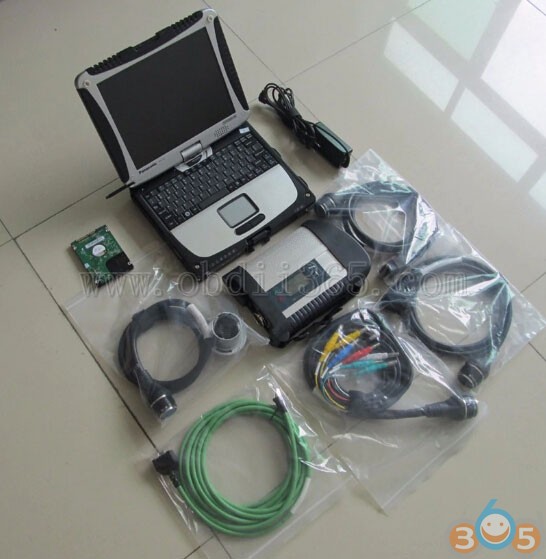
You are advised to have Xentry disk inside a second-hand Panasonic Toughbook CF-19, which comes with SD connect MUX.


The toughbook is old because the item is used before delivery and may have some signs of cosmetic wear, but is fully operational and functions as intended. But
It’s absolutely unnecessary to get a brand-new laptop for auto repair.
It’s easily get rubbed or destroyed when used it in real maintenance.
So, to get a second-hand but workable laptop will help SAVE A LOT.


With the Panasonic CF-19’s dedicated serial port, there is no issue for user…. it was plug and play… the HDD with Mercedes software is loaded into the Panasonic and WIS/EPC and XENTRY/DAS has been activated with “activation keys” before delivery…users can use it for Mercedes-Benz diagnostics, coding or programming with SD connect C4, when they receive the package.
mb-sd-c4-with-panasonic-cf19-1
mb-sd-c4-with-panasonic-cf19-2

mb-sd-c4-with-panasonic-cf19-3