5.08.2019

Benz eCOM DoIP and SD connect C4 Comparison

Look here: What’s the difference between Benz eCOM DoIP diagnostic tool and MB Star diagnostic SD connect c4 multiplexer?
Mercedes diagnostic tooleCOM DoIPSD connect C4
Image 
benz-ecom-doip
 
mb-sd-c4
Price899469
Software compatibility
XentryYes, Xentry 03.2019Yes, Xentry 05.2019
DASNoYes, DAS 05.2019
VediamoYesYes
DTS MonanoYesYes
EPCYesYes, EPC 11.2018
WISYesYes, WIS 11.2018
SDmediaYesYes
HHT-WINNoYes
Star FinderYesYes, Star Finder 2008 & 2016
Price List (PL)NoYes, PL73
Functionality
DiagnosisYesYes
Online programmingYesYes
Offline programmingNoYes
Online SCN codingYesYes
You should pay for SCN coding
Protocol compatibility
CAN1 (high speed)YesYes, CANBUS
CAN2 (high/low speed)YesYes, CANBUS
K-LineYesYes
USDYes
LINYesNo
Ethernet DoIPYesNo
KL15YesNo
Vehicle coverageNewest vehicles Only (after 2009 – w204 and up) Serial 200xxx
Special for DoIP programming on the latest E and S series.
Perfect for Mercedes COMAND NTG5, NTG5s1, NTG5s2, NTG5.5 flashing/programming
Car, Bus, Truck, Sprint, Smart 1989-2019


In summary,

New car: eCom DoIP
eCom – laboratory\development tool. Most cheap and light. Can’t be used with DAS\HHT vehicles. Need luck with kline communication. Need to be specially setup on any diag sw installation.
Normal: Clone SDConnect C4SDConnect – workshop\robust tool. Most universal in use. The only limitation is kline communication in Vediamo from ver5* Easy to setup. In most cases work as is.


Good to know:

Actia eCOM DoIP Box Multiplexer Kit supports DoIP for the latest E and S series, and it’s perfect for Mercedes COMAND NTG5, NTG5s1, NTG5s2, NTG5.5
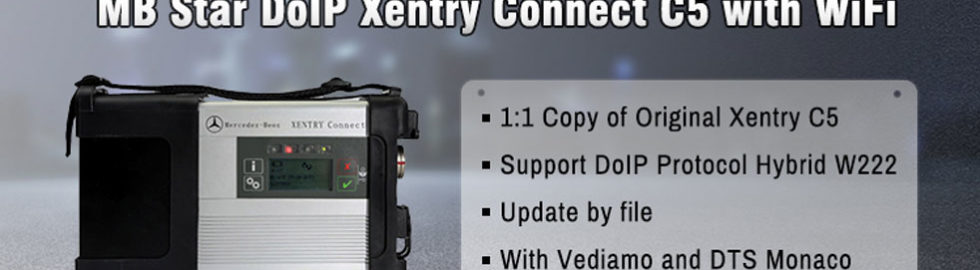
ECOM is the diagnostic and swipe communication interface used by daimler-benz’s production and r&d department. It supports the after sales diagnostic software Xentry, Vediamo, and the Monaco DTS, the exclusive development software, with higher access rights than SDconnect (C4).
ECom supports the CAN/DoIP network, which CAN be used for the diagnosis and brushing of new car audio and video entertainment systems. Vediamo for Mercedes engineers is an engineering software used by Mercedes engineers to develop diagnostic software, that is, Xentry and DAS now in use is developed based on Vediamo and delivered to general after-sales dealers. For this reason, using the Mercedes super engineering version is open to all diagnosis /coding/retrofit/flashing programming features. It is possible to add or reduce SA codes freely without going through VEDOC(the process of the original factory applying for modifying the equipment code), so as to achieve the purpose of modifying the vehicle equipment, such as adding SA500 electric rearview mirror.
Xentry and DAS Developer mode, commonly known as: exploit data engineering version after 2010, has added many restrictions on functions. Therefore, people may encounter that the vehicle version is too new to enter the control unit, or they cannot make any special modifications after entering the control unit. For example, the w204/212 2012 meter may need to be configured in the regional language, or turn on other convenience functions.
The database of diagnosis /coding/retrofit/flashing for the Mercedes engineer version USES the Xentry database, so the Mercedes engineer version is dependent on the Xentry version. As long as the database is new, the Mercedes engineer version can use the V4.00 version on the new model, and compact3 & SDconnect does not support the ODX document. The latest V5.00 supports ODX files with eCom. It is recommended to use eCom with DoIP function, which is faster and more stable.

3.10.2019

How to setup VAS5054A PassThru Driver for Xentry Windows 10 x64

Something good to help you to make Xentry PassThru on Windows 10 x64 support new Mercedes models (Euro5/6, W205, W213, W222). Done with VAS5054A PassThru Driver

Xentry PassThru needs to be installed on Windows x64 to support new models, such as Euro5/6, W205, W213, W222 … However, VAS5054A didn’t work on 64bits as passthru. There is 64bits device driver for VAS5054A but there is no PassThru driver working on 64bits. You may try Actia driver instead but this is a patched 32bits PassThru API files with 64bit device drivers working on Windows 10 x64. Xentry recognizes it and works with W205 (confirmed), etc.


WARNING: Use it on your own risk, only for test purpose.
What you need:
(1) VAS5054A Bluetooth hardware. (genuine and good clone… both ok)
(2) (option) VAS5054A EDIC_PDU_API 1.20.4x driver installation file. You can find it somewhere on this forum.
(3) (option) New firmware. The firmware included here is version 1.20.41 for better compatibility, not 1.20.42.
(4) Softing_VAS5054A_PassThru_Driver_x64_v3.zip (attached here)
(5) 64bit Windows 10
(6) (option) DC 12V power adapter, 2 jumper wires for temporary power.


Pre Installation:
(1) Install Xentry PassThru and do all patches.
(2) (option) Install EDIC_PDU_API 1_20_42 driver (or EDIC_PDU_API 1_20_41). It’s for installing .NET framework or VC++ redistribution files.
If you are going to do clean install on fresh Windows 10, you might want to install the EDIC_PDU driver first. It installs .NET framework, VC++ files, some EDIC DLLs on /Windows/System32 or SysWow64. Other files will be overwritten by the below manual installation. 

Installation:
(1) Copy “Program Files (x86)\Softing\*” to your HDD “C:\Program Files (x86)\Softing\*”
(2) Copy “Program Data\D-PDU API” to your HDD “C:\Program Data\D-PDU API”.
(3) Double click on “Softing_VAS5054A_PassThru_1_20_042.reg” and install it.
(4) Make a shortcut of “SftngCM.exe” on Desktop.
(5) Right click on “C:\Program Files (x86)\Softing\EdicDriver\win7\softingedic7_ntamd64.inf” and install.
(6) Connect the VAS5054A hardware using an USB cable. Connect it to a temporary power(12V DC adapter) or OBD-2 port.
(7) Check “Control Panel/Devices Manager/Softing…”. If not installed correctly, update the device driver manually.
(8) Make a shortcut of “EDICConfig.exe” on Desktop.
(9) (option) If you have newer version than EDIC_PDU_API 1_20_42 driver and genuine VAS5054A hardware, you may install the API driver now.

Post Installation:
(1) Connect the VAS 5054a to a temporary power(12V DC adapter) or ODB-2 port.
(2) Run “SftngCM.exe” on desktop as administrator. Make a “C:\Temp” directory if not exists. This is for saving log files. If not exists, SftingCM.exe will cause error when doing test.
(3) Choose “VAS5054A” and type the serial number (maybe 0821xxxxx).
(4) Select “Test” and click on “Start Test”.
– RED dot : PC <-> VAS5054A does not communicate. Something wrong on your driver.
– YELLOW dot : PC <-> VAS5054A communicates.
– GREEN dot : PC <-> VAS5054A <-> Vehicle communicates.
Tip:
(1) “.NET Framework 2.0/3.0/3.5” needs to be installed if not installed automatically. You can install it by selecting on “Control Panel/Programs and Features/Turn Windows features on or off/.NET Framework 3.5(includes .NET 2.0 and 3.0)”. You also need to install VC++ redistributions if not done yet. (MSVCR100.dll, mfc100.dll, … errors)
(2) Temporary power to VAS5054A for test purpose : Ground to either pin 4 or 5. 12V DC to pin 16.
(3) You can upgrade the EDICDriver in “Program Files (x86)\Softing\EDICDriver” if you have newer version. Update the device driver on control panel.
(4) If you installed newer version EDIC_PDU_API driver than 1.20.42, edit the *.reg and change the number 1_20_42 to your number (for example, “EDIC_D_PDU_API_1_20_042” to “EDIC_D_PDU_API_1_20_0XX”). After editing, double click on it and install it again.
(5) If your device has different serial number but SftngCM.exe doesn’t allow the change, edit the *.reg file with text editor, double click on it and install it again.
vas5054a-driver-for-win7
Download:

Softing_VAS5054A_PassThru_Driver_x64_v3.zip

http://blog.obdii365.com/2019/03/10/make-xentry-passthru-work-for-new-models/

3.05.2019

Benz W215 2003 diagnosis with DTS Monaco or Vediamo

This is for those maybe interested getting DTS 8 or Vediamo v5 working on 2003 Mercedes later.

My configuration:
X230 Lenovo
SD connect C4
No Xentry nor DAS (it seems better to not install this as it can created more probles in test phase)
Just InstallSDconnectToolkit 2.1.30 also have 2.1.14 but not installed (maybe should I use 2.1.14 ? )
and DTS Monaco 8.08.021
IP4 set to 172.29.127.100 255.255.255.0 dns 8.8.8.8
My actual settings:
mb-sd-connect-c4-dts-monaco-setup-1
mb-sd-connect-c4-dts-monaco-setup-2
Set up 2 computers for testing:
computer 1)  vediamo 4.02.02  on XP Xentry 09.2014
computer 2) DTS 8.08.21 on Windows 7 x32 clean NO Xentry, No Vediamo, with a custom 2.1.7.1 Toolkit and ToolkitApiDll_4.0.dll in sytem32
Vehicle: W215 2003 V12 Biturbo
mb-sd-connect-c4-dts-monaco-setup-5
Problem:
I found several source with W215 folder and 1 works, but partially
On the picture you can see, once I apply filter, these are the only few that connect
mb-sd-connect-c4-dts-monaco-setup-6

Only these ecus above turn green
other 20-30 not

Solution:

The solution in understanding that in 2003 year where there’s no any Vediamo and DTS8
Free solution is using DAS. It solves 99.99% tasks in this kind of vehicles.
Not free solution use other hardware and software.
mb-sd-connect-c4-dts-monaco-setup-3

mb-sd-connect-c4-dts-monaco-setup-4
From Vediamo manual:

CaesarGo: This firmware usually runs directly in the non-volatile memory of your CAESAR hardware, e.g., in Part A or Part Y. Supports older communication protocols as well, e.g., KWFB. The new UDS protocol is not supported.
TLSlave: This firmware runs on the computer used. The faster the computer, the quicker the different communication tasks can be completed (e.g., flash processes). Also allows the simultaneous opening of up to 50 CAN channels. This firmware supports “newer” protocols as well, e.g., UDS.

Good to know: CBF files is not about K-Line. CBF file use also W212 for example. Try to use Vediamo 4 for K-Line ecus.

For newbies: if you are not good at DTS or Vediamo settings, you could get a disk that installed all Mercedes software (Xentry/DAS, DTS, Vediamo, EPC, WIS, etc) before delivery. Tested successfully and plug-and-play!
Look here:
SSD version: http://www.obdii365.com/wholesale/2019-03-mb-star-software-ssd.html (runs faster and more stable)
mb-star-with-all-software
Chart: explains the reason why many are looking for DTS
DTS-monaco vs. Vediamo
FunctionsDTS monacoVediamo
All cars have one key code accessYesNo
Vehicle control unit software,
One key storage
YesNo
Car fault codes readingYesNo
Data exchangeYesNo
Quick testYesNo
Single control unit keys off-set codeYesNo
Offline programmingYesYes
Increase reduced SA codesYesYes
Personalize the control unit parametersYesYes

Definitely, DTS-monaco wins!
http://blog.obdii365.com/2019/03/05/w215-2003-k-line-diagnosis-dts-monaco-or-vediamo/

2.27.2019

Xentry 2018-12 tested on SLK W205 W204

Fully working xenty 12-2018 installed today and tested.
Test my SD Connect C4 and xentry tools on a w205 from 2016 and a W204 and I am happy to report that is working ok
2018-12-xentry-test-on-w204-1

2018-12-xentry-test-on-w204-2

2018-12-xentry-test-on-w204-3

2018-12-xentry-test-on-w204-4
Also test how to check duo values on a SLK 171. 
2018-12-xentry-benz-r171-duo-value-1

2018-12-xentry-benz-r171-duo-value-2

2018-12-xentry-benz-r171-duo-value-3

2018-12-xentry-benz-r171-duo-value-4

2018-12-xentry-benz-r171-duo-value-5


http://www.obdii365.com/wholesale/mb-sd-connect-compact-4-star-diagnosis-with-dell-d630-laptop-4gb-memory-with-offline-programming.html

2.26.2019

Xentry 2018.03 Test Benz W204 on Windows 7

After days of frustration, I manage to make the 03/2018 xentry simulation to work on windows 7.
Is the full version of 99GB, but in the MB star C3 is not supported, only SD Connect C4.
I have a delicated laptop for diagnostic. 
I have a vm also, but i just wanted to see xentry running on w7.
2018-03-xentry-windows7-1

2018-03-xentry-windows7-2

2018-03-xentry-windows7-3
now xentry is working full on my wife car w204, c280. 
Lost a lot of my time installing xentry 03 2018 (this can be run on any laptop no more dedicated laptop) ... but is fully working also bought a new toy sd connect c4 
DAS is working on my slk + dev mod
Xentry working also on my w204.
Paid for an online session on MB servers and I check my car software on my slk I didn't touch the engine ECU as I have a remap and the transmission is up to date, no new software. 
On w204 the transmission is up to date also but I update the ecu engine, the first time when I did this and it worked.  
So now I am able to update software on different ecu's.
2018-03-xentry-windows7-w204-1

2018-03-xentry-windows7-w204-2

2018-03-xentry-windows7-w204-3

2018-03-xentry-windows7-w204-4

2018-03-xentry-windows7-w204-5
Manage to make HHT run on windows 7 64x, now I need to find an slk r170 to see it is really working.
2018-03-xentry-windows7-hht

Updated:
New Xentry 07/2018  installed and fully working
2018-07-xentry-test-w204-1
Just did an extended session on my slk and all is ok with the new version, no changes in das but in xentry they did a lot, will test more on my w204. 
2018-07-xentry-test-w204-2

www.obdii365.com

MB Star C3 and Xentry 12.2015 All ok on Benz W204

Review:
Mb Star c3 Xentry 12.2015 is the last one i used it my self a few years.

Played last night with xentry on w204 all working ok.

see attachments:
mb-star-xentry-2015-12-benz-w204-1

mb-star-xentry-2015-12-benz-w204-2

mb-star-xentry-2015-12-benz-w204-3

2.13.2019

DTS Monaco Engineering Software Wikipedia

Content includes:
What’s DTS Monaco?
What do you personally use DTS Monaco for?
Which MB Star sw version comes with DTS-monaco?
Where to download DTS Monaco for free?
How to install /configure DTS Monaco software?
DTS Monaco vs. Vediamo
Any good success with DTS Monaco?


What is DTS Monaco?
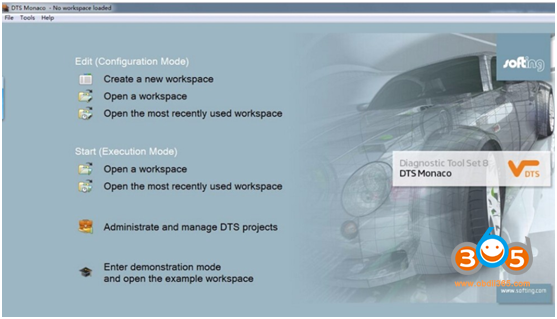
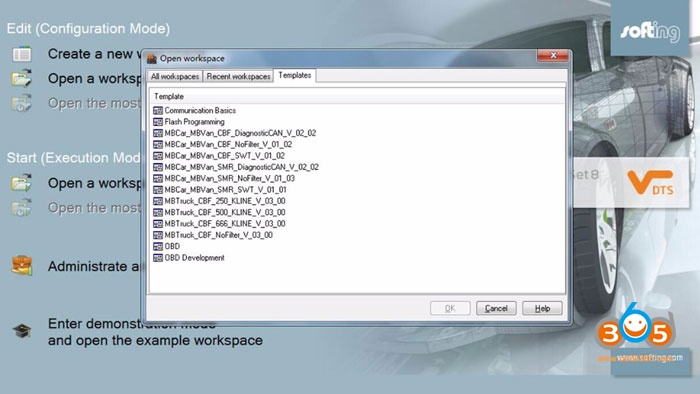
DTS-monaco introduction: 1.DTS-monaco is the official software used by Daimler-Benz development engineers 2.DTS Monaco is universal engineering test terminal for the diagnosis and control function of the vehicle controller, The name Monaco is derived from the modular analyzer used in vehicle traffic 3.DTS Monaco covers all the tasks in the field of engineering, testing and production test preparation 4.When Mercedes-Benz maintenance test it is the greatest authority,the perfect support for C4(SDconnect) and (Ecom) Hardware(at present, Das-xentry.Vediamo lower authority)
DTS-monaco special feature: 1.Quick Test: Entire vehicle ECU quick test, and the test can choose to edit more 2.Variant Coding: Coding with variation add VO- delete VO function 3.ID identification: One click to read the whole car and save all modules programmed numbers 4.Complete Variant Coding: One time to read all the ECU coding vehicle data, can be written to the vehicle again, completely off-line operation 5.Diagnostic Services: Advanced features can see your choice of internal and external data module, turn on the computer authorization(not driving license), Activate ECU, reset ECU, modifying the original chassis number 6.Flash programming: Fully offline programming 7.Diagnostic Trouble Code: Diagnostic module DTC fault code 8.ECU Exchange: Two of the same ECU, by reading data import data exchange 9.Symbolic trace: Record and track the file, after repeated viewing, analysis of fault logic point
dts-monaco-introduction-1

dts-monaco-introduction-2

What do you personally use DTS Monaco for?
DTS Monaco is a program for softening. Mercedes-Benz is dealing with some company for developing some some software’s for the control units fixed on the cars. check the web side of this company and you will understand what they are doing. My advise to you if you want to play with this program you need to be expert with the vehicles software and programming other wise you will destroy it.

For many, DTS is the best software used on cars. Coding works very good an easy, because for all coding-points it shows a “coding description”. With Vediamo you can not sort the list and have to make “right click” on any coding-point to read the description. So, if you search for special things or “browse” through the functions in the ECU, Monaco is more comfortable.

Btw, vediamo unlocks units same as dts. Monaco can save codings in one click and upload them in one click too especially on MVCI smr-d units, which vediamo cant handle. Quite useful, but requires quite powerful system


Which MB Star sw version comes with DTS-monaco?
09-2017, 12-2017, 03-2018, 05-2018,09-2018, 12-2018
dts-monaco--xentry-version
DTS-monaco vs. Vediamo
dts-monaco-vs-vediamo
FunctionsDTS-monacoVediamo
All cars have one key code accessYesNo
Vehicle control unit software,
One key storage
YesNo
Car fault codes readingYesNo
Data exchangeYesNo
Quick testYesNo
Single control unit keys off-set codeYesNo
Offline programmingYesYes
Increase reduced SA codesYesYes
Personalize the control unit parametersYesYes

Where to download DTS Monaco for free?

It’s free but with unknown security.

Where to get DTS-monaco confirmed to work?
dts-monaco-download-1

dts-monaco-download-2
How to install DTS Monaco on Windows 7?

When installing DTS Monaco to communicates and works with SDconnect4 all user installed SDconnect Toolkit version 2.1.3. And no one tried to force the work SDconnect Toolkit version 2.1.4.2, which is installed together with the installation of Setup_Addon_DAG. And I did it.
Checked only on the system without DAS/Xentry.
DTS Monaco 8.03.12.
Windows 7 x64.
Follow the next steps:
1. Install Monaco
2.Install Setup_Addon_DAG
3.Go to ะก:\ProgramData\I+ME ACTIA\Toolkit\
4. Open and edit toolkit.ini
Code:
ShowInTray=2 NetworkIcon=2 DeviceIcon=1 ConnectionState=1
5. Save file and reboot Windows
6. Connect SDconnect MUX via cable
7. Start System Configurator
8. Go to Licenses and you will see your MUX as DCDIPartW with your serial number. After editing in Interfaces type of MUX will change to MVCI_IME_ACTIA_GmbH_SDconnect
9. Go toInterfaces
Code:
eCOM_SMR Interface name – > SDconnect_SMR Bus system interface – > D-PDU API D-PDU API version – > I+ME ACTIA GmbHXS_D_PDU_API_FOR_DTS_8_03_12 Module type – > MVCI_IME_ACTIA_GmbH_SDconnect Cable – > CABLE_OBDII_SDCONNECT Physical links: CAN1, CAN4, CAN8
10 .Click Save and close System Configurator
11. Now you can connect to the car or single ECU

How to solve DTS Monaco and SDConnect Toolkit conflict issue?
SDConnect Toolkit setting and DTS Monaco Connection setting
1.Delete C: \ Program Files (x86) \ Softing \ Diagnostic Tool Set 8 \ 8.03 \ Interfaces \ DCDI_DPduApi \ eCOM_Toolkit \ all files inside.
2.Copy C: \ Program Files (x86) \ Mercedes-Benz \ SDConnect Toolkit \ inside all files, paste it into C: \ Program Files (x86) \ Softing \ Diagnostic Tool Set 8 \ 8.03 \ Interfaces \ DCDI_DPduApi \ eCOM_Toolkit \ folder inside .
3.Copy C: \ Program Files (x86) \ Softing \ Diagnostic Tool Set 8 \ 8.03 \ Interfaces \ DCDI_DPduApi \ eCOM_Toolkit \ bin \Folder inside the Toolkit files, paste it into C: \ ProgramData \ I + ME ACTIA \ Toolkit folder inside, replace the original file.
dts-monaco-connection-1

dts-monaco-connection-2

dts-monaco-sdconnect-setting-1

dts-monaco-sdconnect-setting-2

dts-monaco-sdconnect-setting-3

dts-monaco-sdconnect-setting-4
Any good success with DTS Monaco?
2)  I successfully connected to ZGW221 w/o car DTS Monaco always sends a notification that it is impossible to contact the EIS221 to read the mileage, voltage, etc. (because w/o car)
3)
I use both DTS Monaco & Vediamo, I can do tons of customizing settings on All MB cars; some of them are hidden by MB but very useful and cool.
For example , 1. ALL vehicle which equip with dual multifunction camera, I could enable Traffic Sign Assist if your car does not have this function. Because MB hide it and they could sale the function for money in the future. 2. ALL vehicle which equip with parking radar sensor, I could set Alarm sound frequency related to the distance to the obstacle, instead of stock only make Alarm sound at the red zone( 30cm ). We call it synchronization. 3. ALL vehicle which equip with 360 camera, I could change the disable speed ( Distract screen engage), allow you can have more time or view around at higher speed. 4. Change temp. pressure gauge unit on cluster and Command Online ( C<->F , psi<->bar <->kpa, hp(SAE or DIN), N m <-> lb ft). 5. Disable Distract protection( allow VIDEO IN MOTION, spell input to Navi, Message while moving, and more ) Do not use them when you are driving! 6. Remove E-speed limiter, and also you can enable a menu called Winter Tire Speed Limiter on cluster, and you can choose how fast you dont want to pass, as low you can set 160km/h=100mph). 7. Adding some equipments when the car does not have them installed from factory, even transplant some from other model. ( But you need pay a lot to buy those parts compare to buy options installed by factory when they build the car. And for installation some of them are not easy as plug and play.). 8. Enable Blue Welcome home light for W beginning VIN W205 equip with Dynamic Head Light (IHL) without changing headlight assembly, 55SWF beginning…NVM, also vehicle has SA Code 608( Automatic High Beam Switch) could upgrade to Code 628 (Automatic High Beam Switch Plus) If you has dual multifunction camera. 9. Upgrade all control unit software without online daimler account, also you could downgrade. 10. Too many…. 11. In general, all ppl talk about some setting or function they dont like and they want to change, I believe 99% of them can be achieved. 1% is still no solution for Apple Car Play and Android Auto for W205 before MY2018 without swapping Command Online Unit.
I would say, with those two software I could even build a car from every single pieces (IF PARTS FIT ). even the model does not exist( create a new car for MB ). XENTRY can not do to much, compare those two software, its a baby toy.
Attach images:
dts-monaco-download-1

dts-monaco-download-2

dts-monaco-download-3
http://blog.obdii365.com/2019/02/14/dts-monaco-download-installation-and-faqs/